01
Migration
Check how customers, history, open work, and accounting data can move from the tools you use now.
Field service CRM and invoicing
CrewBrix manages customers, jobs, appointments, estimates, invoices, and payments in the same application so the office can review the work behind an invoice.
Payment methods, fees, recurring billing, migrations, and AI-assisted actions depend on the current plan, provider, and account configuration.
In CrewBrix
Review the line items, total, and payment status before following up with the customer.
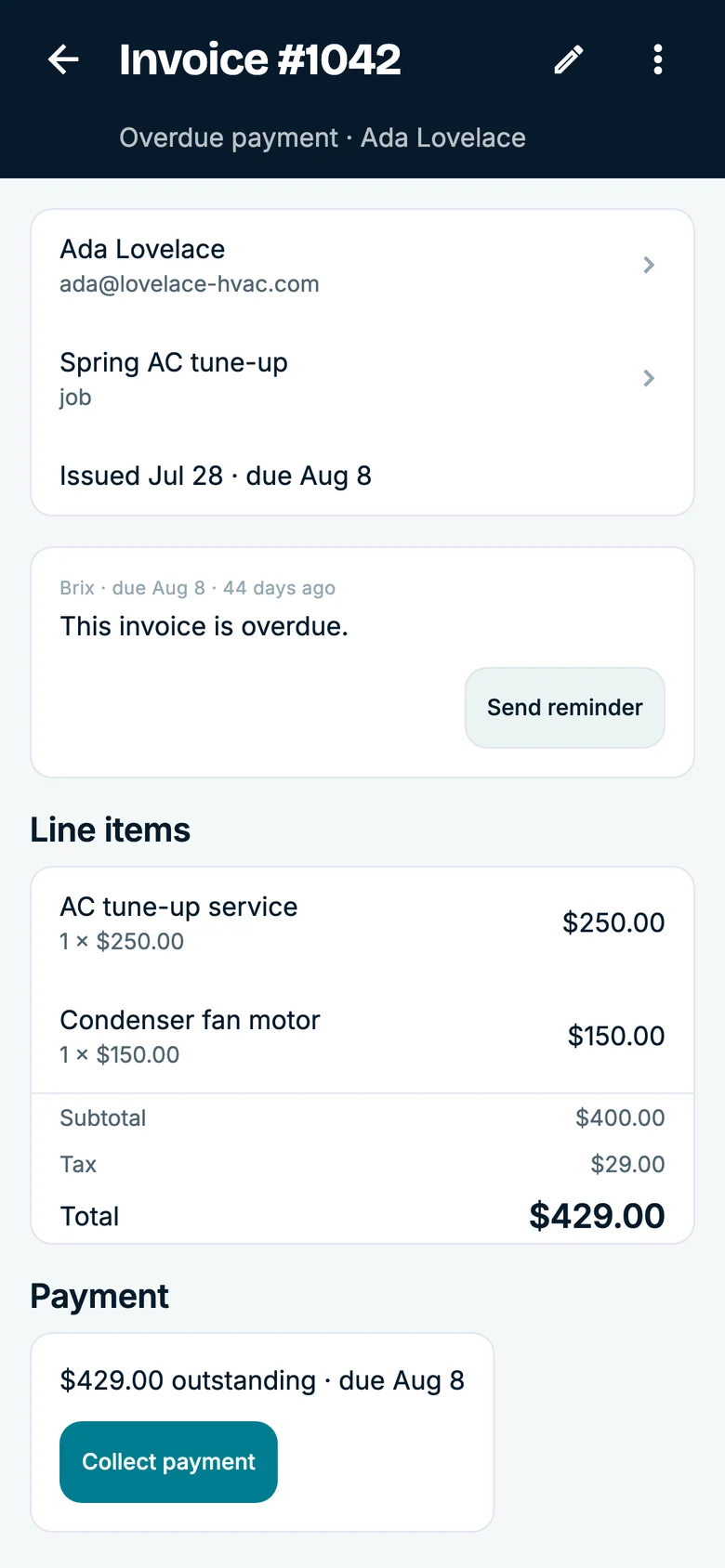
Open a customer with prior work, create a new job, and confirm which history is available to office and field roles.
Create the estimate or invoice from the job and check where scope, status, and customer communication appear.
Record a payment and verify invoice status, receipt, fees, and reporting available on your plan.
01
Check how customers, history, open work, and accounting data can move from the tools you use now.
02
Confirm supported methods, processing fees, settlement behavior, refunds, and recurring-billing requirements.
03
Verify what owners, office staff, and technicians can view or change on web and mobile.
It stores customer identity, contact information, service history, and related jobs for businesses that work at customer locations. Buyers should also verify scheduling, invoice, payment, mobile-access, and migration requirements.
Yes. Current payment methods, fees, plan limits, and recurring-billing terms are listed on the pricing page and should be confirmed for your account.
Use one completed job to review customer history, job status, estimate or invoice, payment, and the access each role needs. Confirm migration and payment setup for your account.
Essential storage stays on to remember this choice. Google Analytics loads only if you allow it. Advertising storage stays off. You can change your choice in Cookie settings.