Answers the phone
Picks up when you can’t. Gets the name, the address and what’s wrong, and books a time inside your hours if you let it.
Brix AI
Brix is the AI inside CrewBrix. Not a chatbot. It answers the phone, books the job, texts the customer, sends the invoice and chases the money, and it does as much of that as you allow. Tell it once and it remembers.
What Brix does
You do the field work. Brix does the rest, from the first hello to the money in the bank. Let Brix answer the call and prepare what happens next. Or let it finish the job. Your call.
Picks up when you can’t. Gets the name, the address and what’s wrong, and books a time inside your hours if you let it.
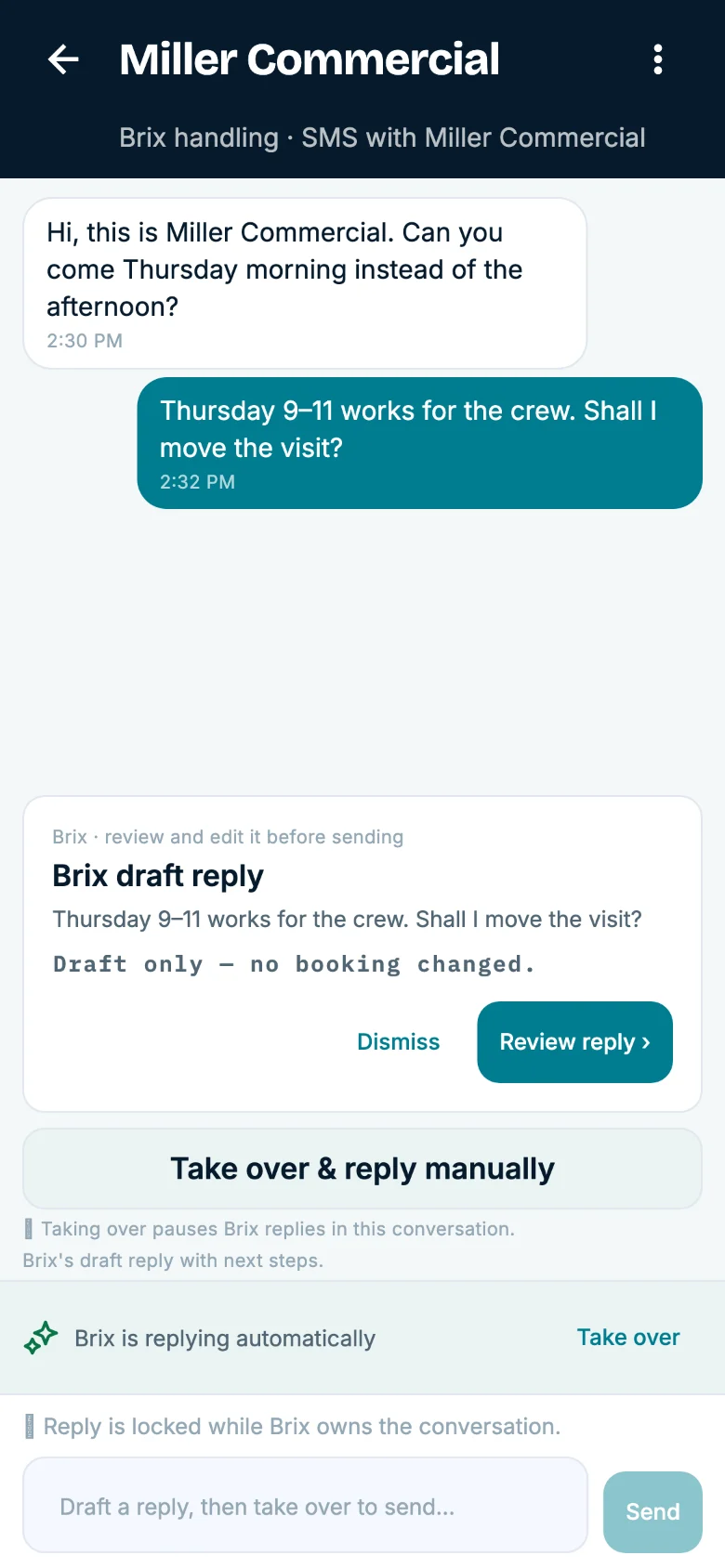
Customer asks to move Thursday? Brix has the reply drafted before you’ve seen the message. Facebook and Instagram messages come in the same way.
Fills the 8 AM slot, builds tomorrow’s crew plan, moves a job when a customer needs it, and tells the tech.
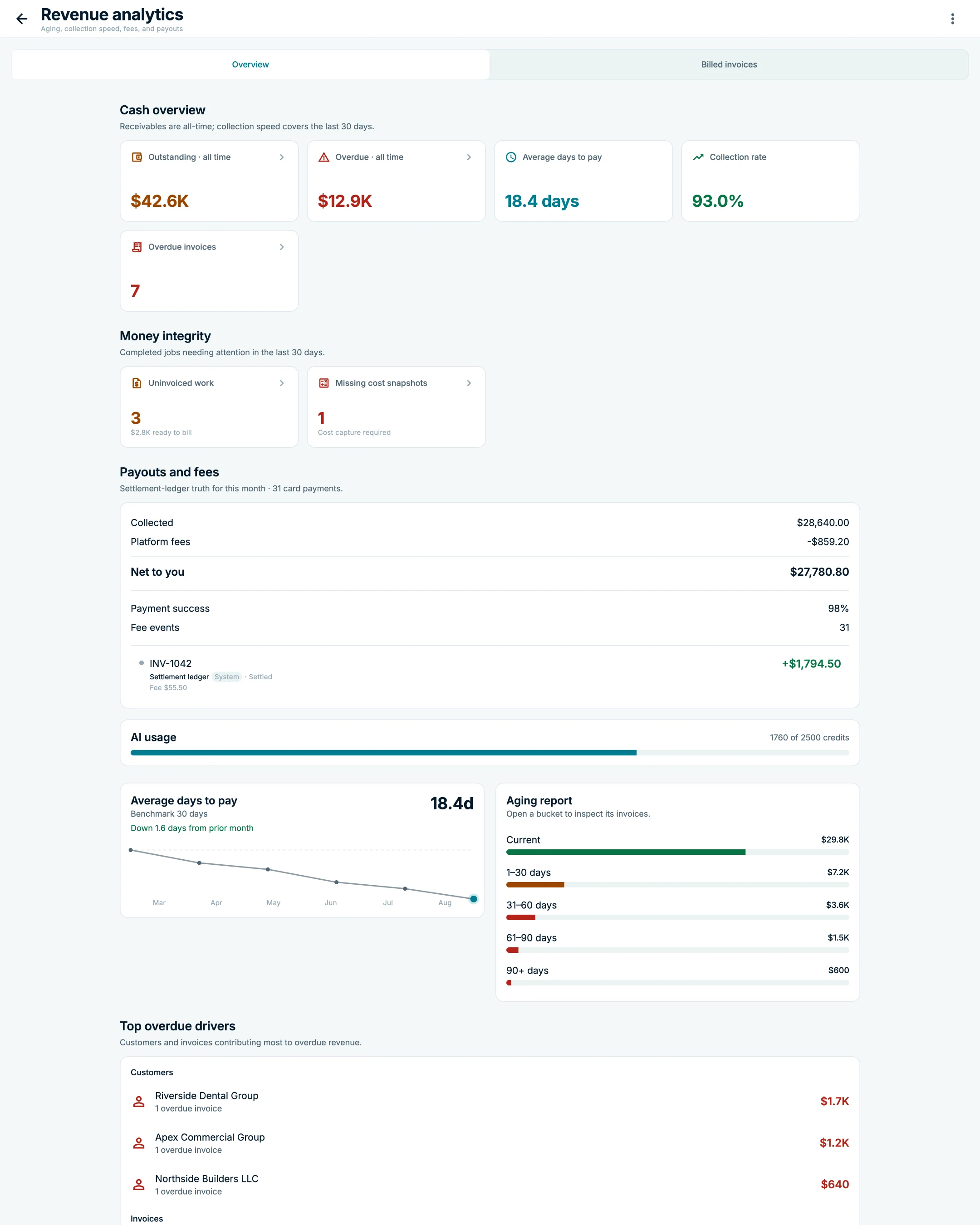
Invoices finished jobs, texts the reminder with a pay link, and keeps chasing what you’re owed.
Works your past customers, answers new leads in under a minute, and turns the ones that fit into booked jobs.
Every call, text and change is in the history: what Brix did, when, and which permission allowed it.
Your permissions
Choose what Brix may finish on its own and what must wait for you in Decisions. Per job, per customer, per dollar. Change it any time.
Calls, booking, texts, invoices, reminders, follow-up. You get a text when it’s done.
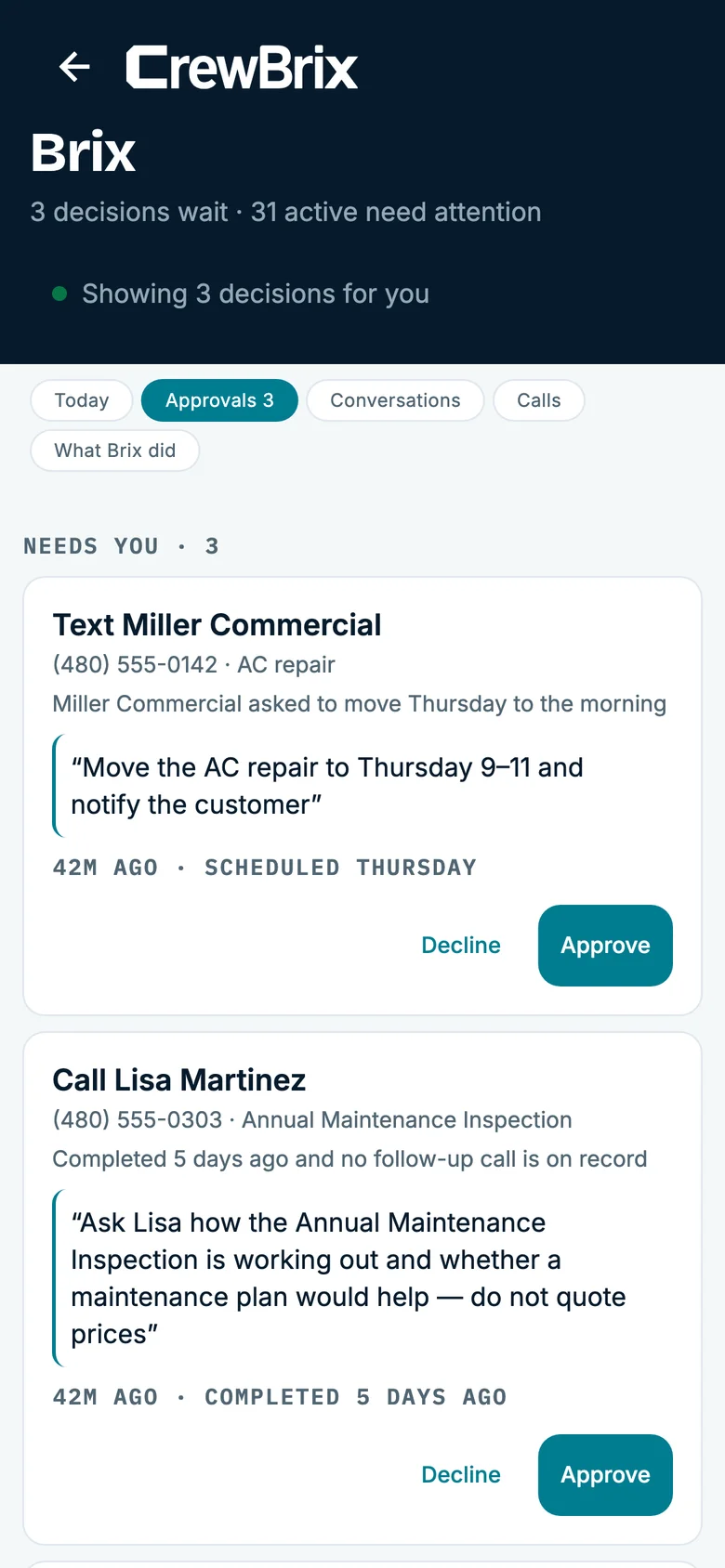
It preps the job, drafts the text, lines up the schedule, then waits for your yes or no.
Brix watches, remembers and reminds. Nothing moves until you move it.
A schedule change waits for your okay.
Diagnosis, safety calls and the physical work stay with your team. Brix runs the office, not the truck.
Not a chatbot
Brix remembers your customers, your prices, your hours, and how you like things done, and it gets better at your job the longer it works for you. Pass on Gilbert once, and it stops bringing you Gilbert. Say you don’t go under your price book, and it never does.
See current pricing, or call Brix at (480) 571-7860 and hear it for yourself.
Only where you let it. Choose what Brix may finish on its own and what must wait for you in Decisions. Activity keeps a record of every Brix task, including the ones that failed.
You choose which customer, job, equipment, schedule, business, and conversation records Brix can use. Start it on a short leash and give it more as it earns it.
Yes. Facebook and Instagram chats that are connected to CrewBrix come into the same inbox as your phone calls and stay with the customer, so a lead on your page becomes a job in your schedule.
No. A chatbot answers questions. Brix does the work: it books, texts, invoices and follows up inside your rules, and it remembers your customers, your prices and how you like things done.
Every paid CrewBrix plan includes core Brix tools. Capabilities and allowances vary by plan. Brix AI is also sold as an optional add-on, and its current price lives on the pricing page.
Forward the calls you miss and see what it does with them. Give it as much of the office as you’re ready to.
Essential storage stays on to remember this choice. Google Analytics loads only if you allow it. Advertising storage stays off. You can change your choice in Cookie settings.