Skip to content

CrewBrix features

Field service software from first call to paid invoice.

Keep the customer, schedule, job details, estimate, and invoice in one app. Brix helps with supported calls, messages, and next steps, so your office and field team can work from the same records. Requests outside your rules wait for approval.

Prefer a person? Request a workflow demo or call (480) 571-7860.

Choose the task. Keep the customer in view.

CrewBrix AI task screen showing a selected customer-call task, target selection, and run timing controls
Prepare a supported task · Sample data
Open full-size screen ↗

Actual app render with sample data. Choose a supported task, its target, and whether it runs now or on a schedule.

Illustrative workflow

A water-heater request from call to payment.

Follow an illustrative service request through six steps. See what the office, field team, and Brix each do. Booking, approvals, and payments depend on your setup; this is an example, not a customer result.

01

The first call

A homeowner calls about a water heater while you're driving home.

In CrewBrix

With voice configured, Brix can capture the caller's name, address, and problem and prepare a summary. Supported Facebook and Instagram messages can enter the inbox as requests.

02

The booking request

The caller asks for a time on the calendar.

In CrewBrix

With booking configured, Brix can propose an available slot and help create a job request with an address, problem, and time. Requests outside the configured rules wait for a person to decide.

03

The crew visit

The technician needs the information collected before the visit.

In CrewBrix

The job can show available notes, history, photos, and details captured from the call on the technician's phone.

04

The invoice

The work is complete and the invoice needs review.

In CrewBrix

Build an invoice from job and customer details, then review the line items before sending it.

05

The payment

The customer pays by card at the door or through a payment link by text.

In CrewBrix

The payment is linked to its job so the owner can review what is paid and what still needs follow-up.

06

The next request

The customer calls again next spring.

In CrewBrix

When the relevant records are available, Brix can use the address, equipment, and last visit to prepare the next booking. Your team reviews work outside the rules you set.

For Brix records, permissions, approvals, exceptions, and activity history, see Brix AI.

Product records

The work stays connected in records, not separate tabs.

These first-party app captures use sample data. They show the screens your team can inspect in a demo; they are not customer results.

Customer record

Start with the person and property.

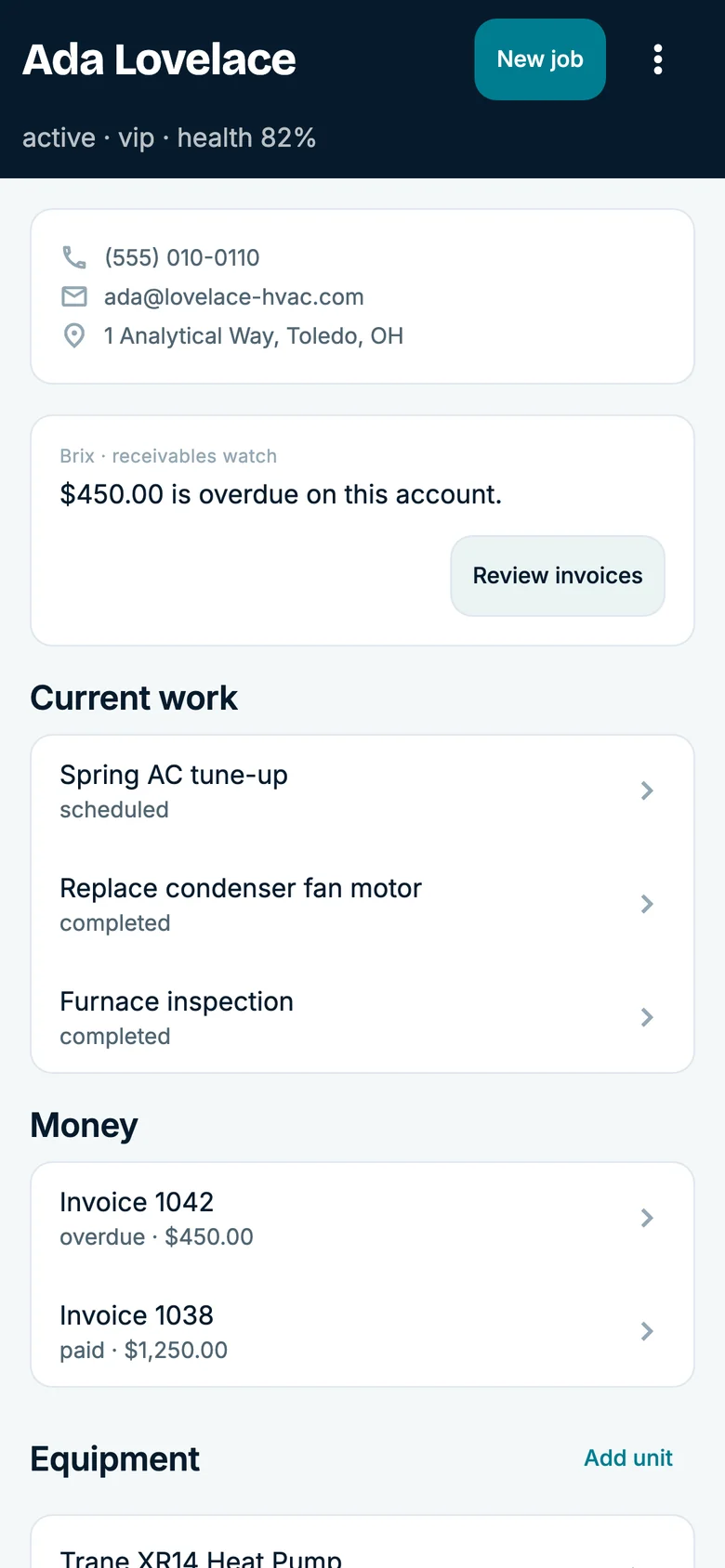
A customer profile keeps available contact details, interactions, and business actions in one place for the next request.

CrewBrix first-party demo account customer profile showing contact details, quick contact controls, business actions, and recent interactions
Customer record · Sample data
Open full-size screen ↗

Job record

Keep the field story with the work.

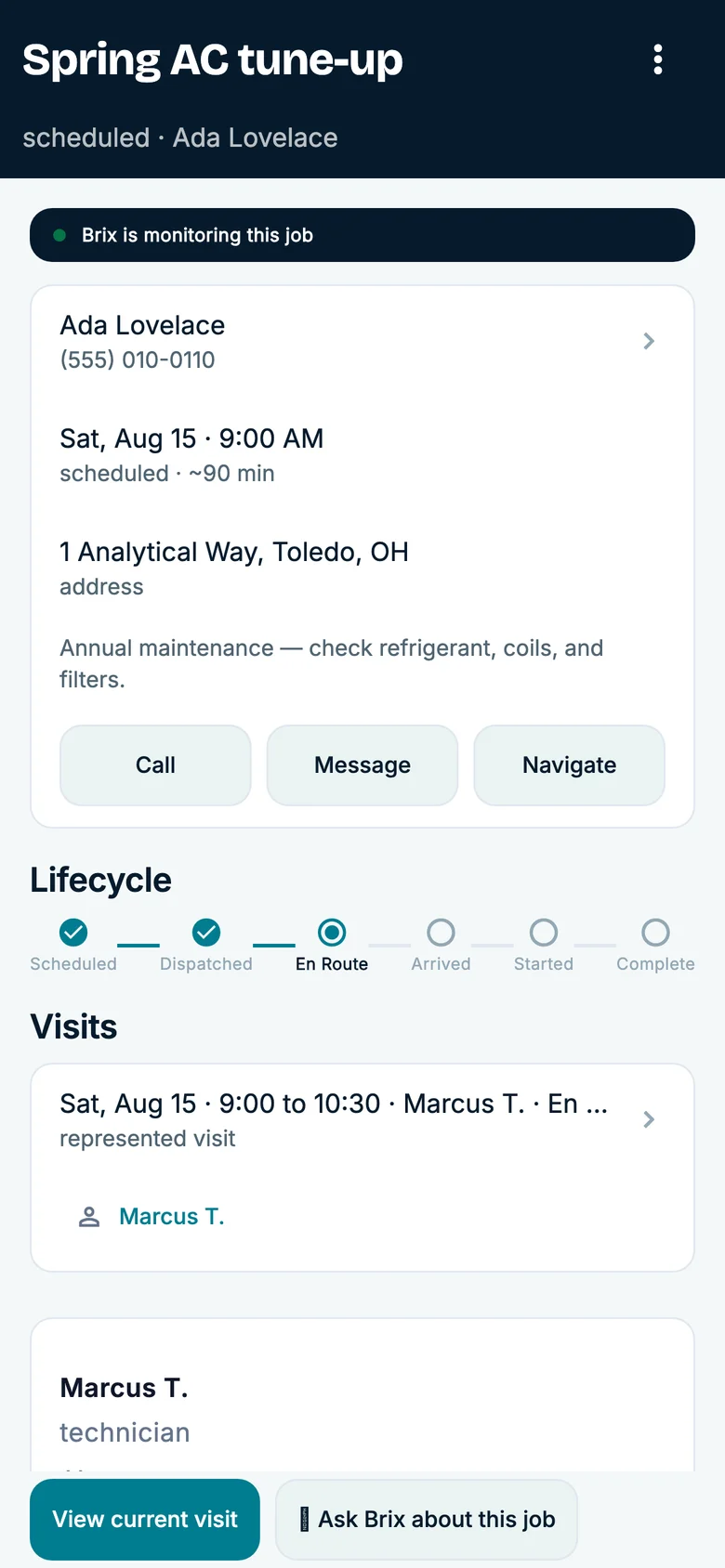
A job detail view brings assignment, scheduled time, money trail, notes, and current status together for review.

CrewBrix first-party demo account job details showing a job status, scheduled time, money trail, notes, and assignment information
Job record · Sample data
Open full-size screen ↗

Schedule

See the day before a promise is made.

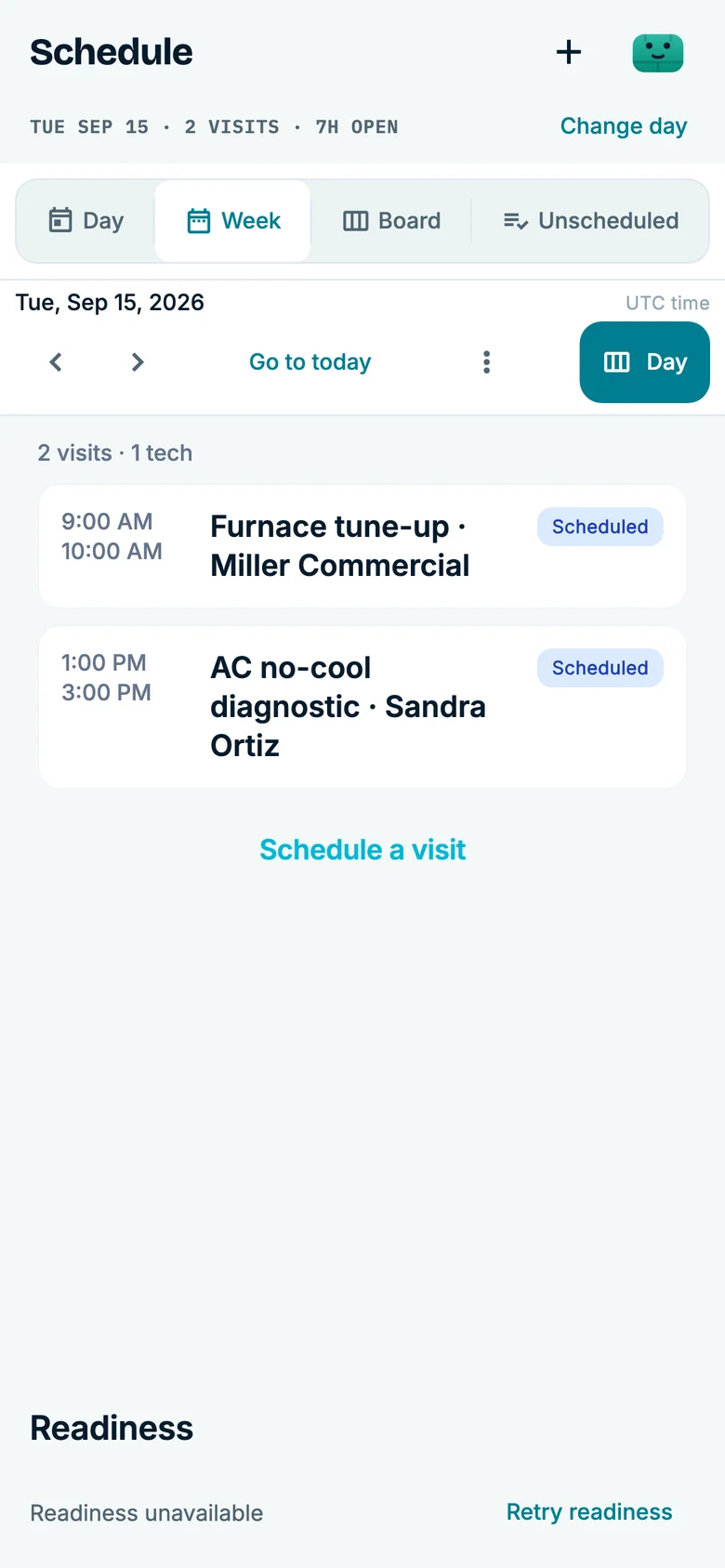
A schedule view gives the office a visible set of appointment windows and jobs before a time is offered.

CrewBrix first-party demo account schedule showing jobs arranged across a workday
Schedule · Sample data
Open full-size screen ↗

Questions before you start

Is CrewBrix a bunch of separate apps?

No. Calls, customers, scheduled jobs, invoices, and payments stay connected in one app.

Does Brix really answer my phone?

Yes. Keep your number and forward missed calls or calls outside business hours to CrewBrix. Once set up, Brix can answer for you. Call (480) 571-7860 to try the voice technology.

What about Facebook and Instagram messages?

Supported Facebook and Instagram chats come in the same inbox as calls. Each message becomes a customer request with a name and a need attached.

Do I have to move my whole business over on day one?

No. You can start with the AI Receptionist, then add customers, scheduling, and invoicing as you are ready.

What does it cost?

We're in founder pricing while we onboard our first customers. Current numbers live on the CrewBrix pricing page.

See current founder pricing. Try the voice technology at (480) 571-7860.

Your privacy choices

Essential storage stays on to remember this choice. Google Analytics loads only if you allow it. Advertising storage stays off. You can change your choice in Cookie settings.