01
Know who's calling.
Tell a new service request from an update about existing work so the office does not create the same job twice.
AI receptionist for HVAC
Forward unanswered calls to Brix. It gathers the customer's name, callback number, address, reported issue, and timing, then can offer a slot that fits your CrewBrix schedule and rules.
Your team still handles diagnosis, pricing, emergencies, full calendars, out-of-area requests, and anything that needs judgment. Call forwarding and carrier fees depend on your phone provider.
The call record
A useful call record gives the office the caller's name, callback number, service address, reported issue, requested timing, and a clear next step. The caller's description helps route the job; it is not a diagnosis or repair price.
01
Tell a new service request from an update about existing work so the office does not create the same job twice.
02
Check the service area, job type, and live schedule before offering a time.
03
Save the appointment when booking succeeds. Otherwise, send the request to the person responsible for follow-up.
04
Keep the customer, reported problem, booking or task, and notification together in CrewBrix.
Want to compare the cost? Use the answering-service cost worksheet with the same number of calls for each option. If a call still needs a callback, use the missed-call follow-up playbook to assign an owner and track what happened.
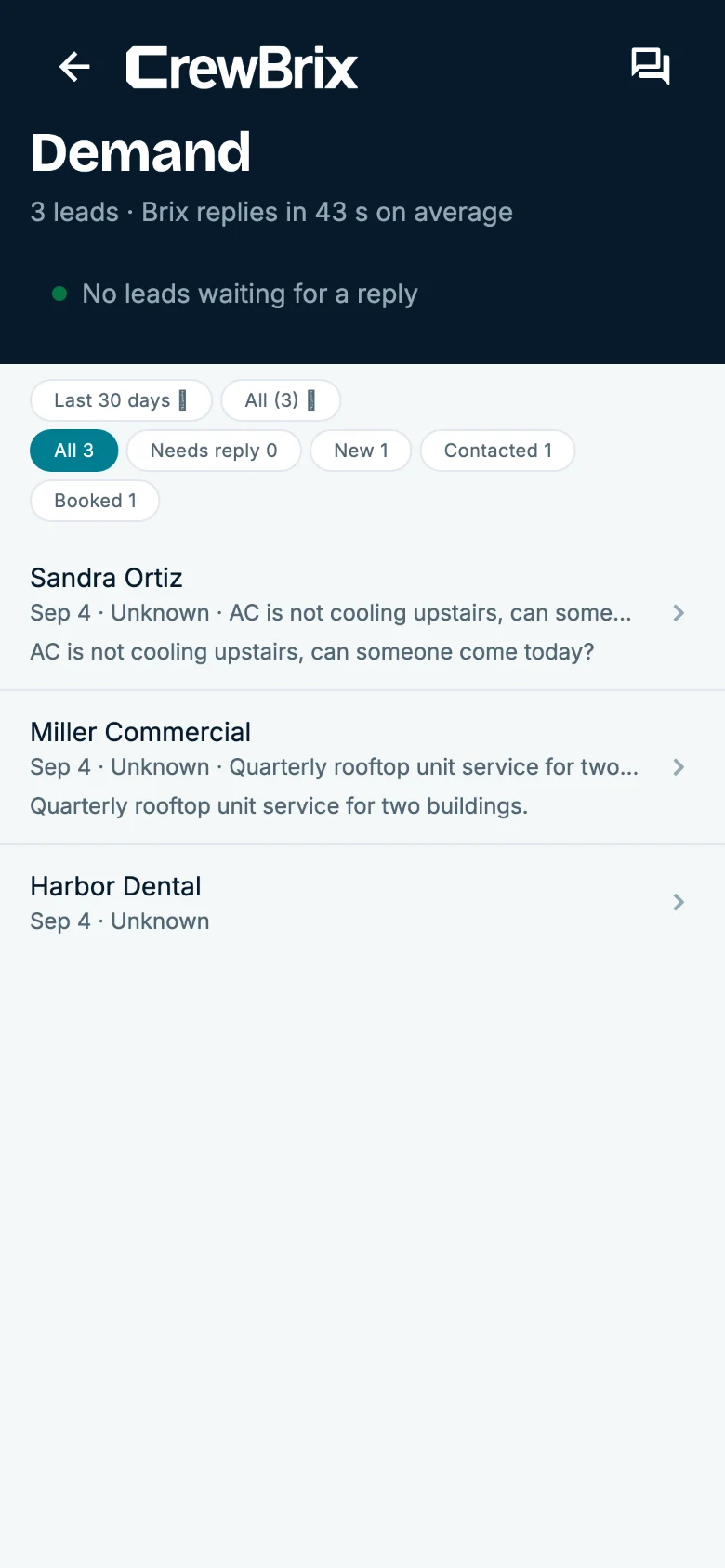
Requests
A customer asks to move a visit. Their request stays with the job while the office reviews the change.
Before you send live calls to Brix, run a few test calls. Check phone forwarding, the fields captured, booking rules, notifications, and who receives anything Brix cannot finish.
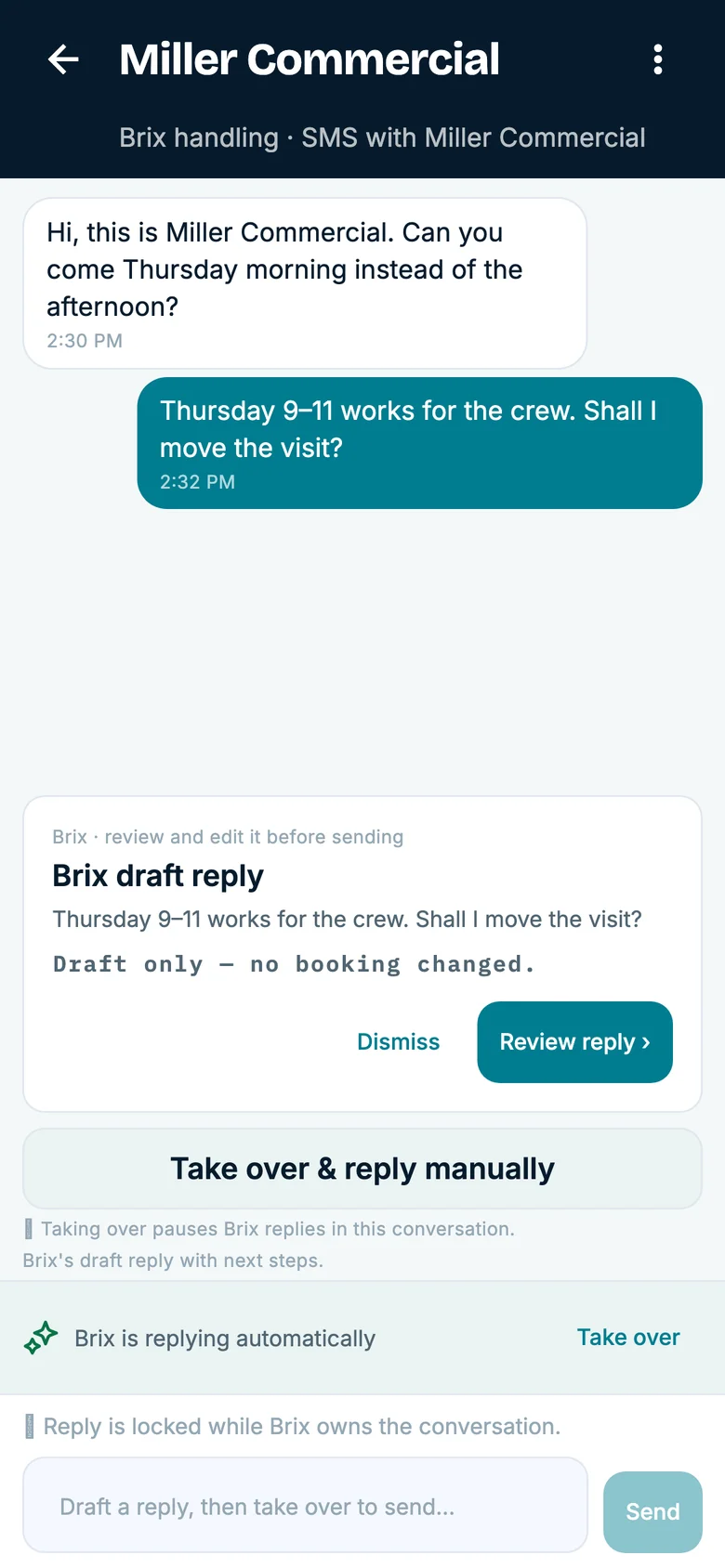
Before you go live
Brix should save the caller's contact details, service address, reported problem, and requested timing. Your technician still diagnoses the equipment and prices the repair.
When the call fits your service area, job type, and schedule rules, Brix can offer an available time. Make sure the booking and notification reach the right people.
Brix should not promise an unavailable time. It should send the request to the person you assigned for follow-up.
Brix should follow the handoff you set. It does not provide technical or safety advice or act as an emergency dispatch service.
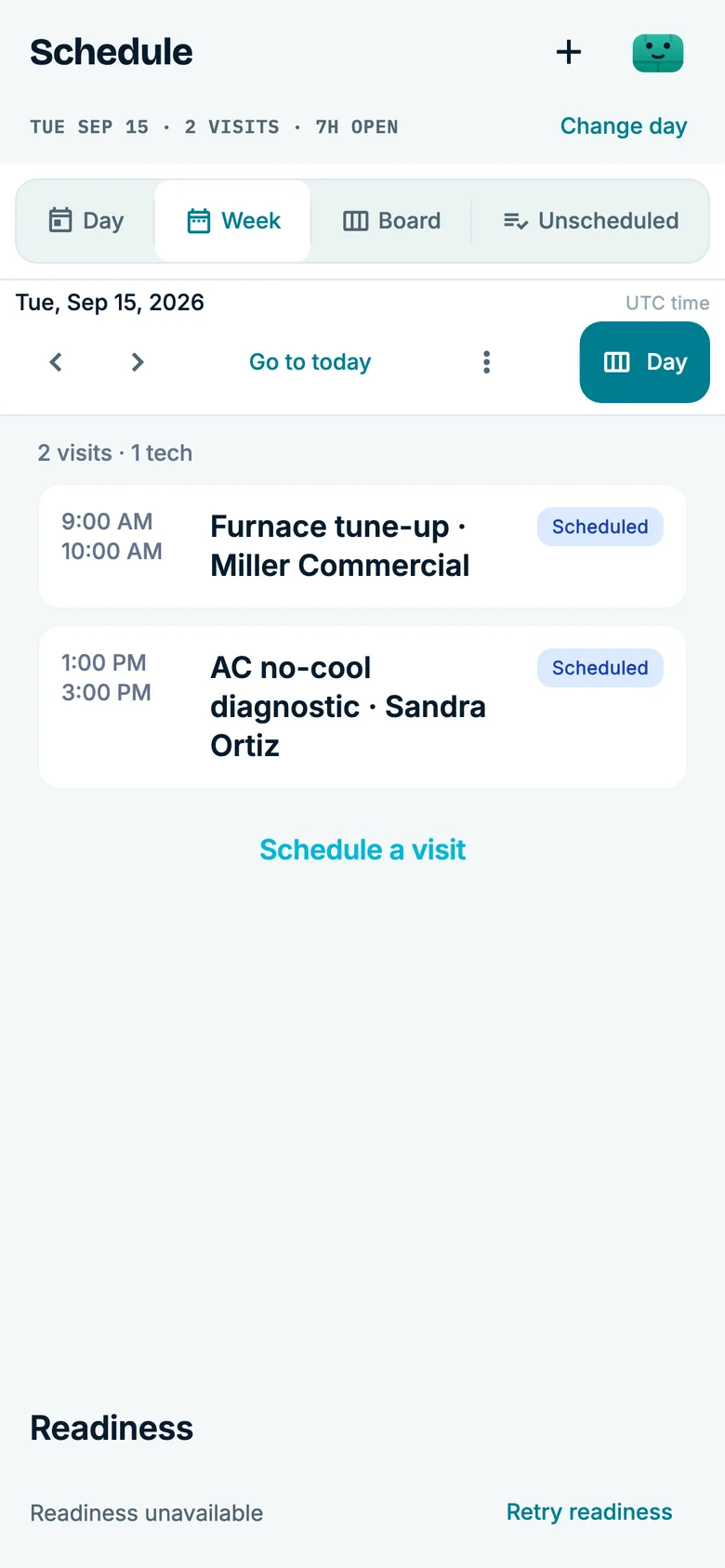
The schedule
After each test call, check that the customer, reported problem, booked time or follow-up owner, and notification are in the right place. Use your own test calls before you change your live number.
Compare
The right choice depends on how much should happen before your office steps in. Answering services differ, so ask each provider to show you the same calls.
| What happens | CrewBrix | Traditional service | Voicemail |
|---|---|---|---|
| Phone coverage | Answers calls routed to Brix | Ask about staffed, overflow, holiday, and escalation coverage | Records a message for later review |
| HVAC intake | Captures the fields you set | Depends on the provider's script | Caller chooses which details to leave |
| Booking | Can offer times that fit your CrewBrix schedule and rules | Depends on calendar access and booking authority | Requires a callback |
| When the call does not fit | Follows the office handoff you set | Depends on the provider's escalation process | Someone listens and responds |
| After the call | Customer details, booking or follow-up, and activity stay in CrewBrix | Ask which records are included or synced | Requires manual entry into another system |
The calculator uses your call volume, missed-call rate, booking estimate, and average job value to show revenue at risk. It does not predict recovered revenue or profit.
CrewBrix is onboarding its first customers in Phoenix's East Valley. Ask the CrewBrix team about onboarding help and founder pricing, then review the included voice minutes, add-ons, and overage rates.
Questions
Brix answers calls you forward to it, gathers the caller's contact details and reported issue, and can offer a time from your CrewBrix schedule when booking is set up. Your team still handles diagnosis, pricing, emergencies, and calls that need judgment.
Yes, for supported calls that you route to Brix after hours. Set the hours, booking slots, and person who takes over before you forward your line. Brix is not an emergency dispatch service.
Plans include different amounts of voice usage. Check the pricing page for included minutes, add-ons, and extra usage, then use your own call volume to estimate the monthly cost. Calculator examples are estimates, not promised revenue.
Most businesses use call forwarding. What happens on busy, unanswered, or after-hours calls depends on your carrier, so check its settings and fees before changing your live number.
When Brix cannot offer a time or the call falls outside your rules, it follows the handoff you set for the office. A request is not an appointment until the booking succeeds.
Use a routine no-cool or no-heat call, a full schedule, and an out-of-area request. Check what Brix saves, what it books, and who receives the calls it cannot finish.
Essential storage stays on to remember this choice. Google Analytics loads only if you allow it. Advertising storage stays off. You can change your choice in Cookie settings.