CrewBrix AI guides
Field-service AI with approvals and stop conditions.
Use Brix for supported work on current customer, job, schedule, invoice, and payment records. Configure who approves consequential actions and what happens when the workflow cannot continue.
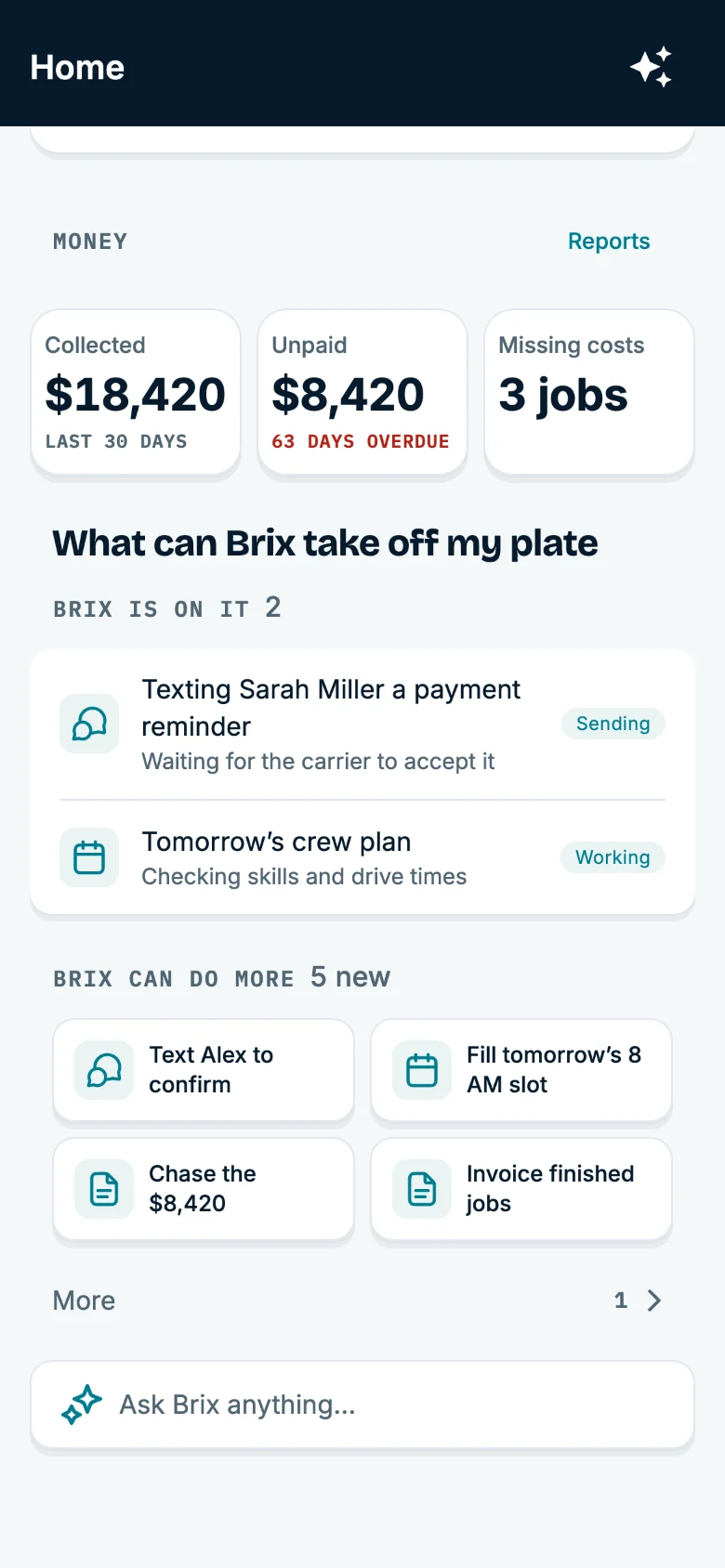
Workflow examples
Each example states the trigger, records Brix may use, supported action, approval owner, stop condition, and one measure your team can review. Availability varies by provider, market, plan, and integration status.
01Calls and first responses
- Trigger
- Call answering is enabled and a customer calls.
- Records Brix may use
- Caller details and the lead or customer request.
- Supported action
- Capture who called and what they need, save the request, and prepare a next step when supported.
- Approval or owner
- Your team sets prices, booking rules, and the work Brix may do.
- Stop condition
- Questions that need an owner are flagged instead of being decided by Brix.
- Result and measure
- The request is saved with the lead or customer for follow-up. Measure: Missed calls, response time, and requests that become bookings.
02Scheduling and dispatch
- Trigger
- New work, an emergency, or a change in technician availability needs scheduling.
- Records Brix may use
- Current jobs, crew availability, and customer details.
- Supported action
- Suggest a time, flag scheduling conflicts, and make supported changes within configured approval rules.
- Approval or owner
- The dispatcher decides priorities, customer promises, and changes that need judgment.
- Stop condition
- A change outside the approval rules waits for the dispatcher.
- Result and measure
- The proposed or supported schedule change is available for the team to review. Measure: Unassigned jobs, reschedules, response time, and office-to-crew calls.
03Customer follow-up
- Trigger
- An estimate, question, or unpaid invoice needs attention.
- Records Brix may use
- Customer and job history, open estimates, conversations, and invoices.
- Supported action
- Surface work that needs follow-up and use the available history when preparing a reply.
- Approval or owner
- The business controls tone, policy, escalation, and messages requiring judgment.
- Stop condition
- Messages requiring judgment are escalated rather than sent as a decision by Brix.
- Result and measure
- The customer and job history remain available to the person following up. Measure: Open estimates, unanswered conversations, overdue work, and silent relationships.
04Field-team preparation
- Trigger
- A technician needs details before arriving at a job.
- Records Brix may use
- Customer details, job notes, the schedule, and recent visits.
- Supported action
- Show available job details and prepare a next step without overriding the job record.
- Approval or owner
- Technicians retain physical work, safety, diagnosis, and on-site judgment.
- Stop condition
- Brix does not make the on-site decision or override the job record.
- Result and measure
- The office can see field notes that are saved to the job. Measure: Calls back to the office, missing details, and incomplete job records.
05Invoice and payment follow-up
- Trigger
- A completed job is waiting for an invoice or payment follow-up.
- Records Brix may use
- Job, estimate, invoice, payment, and receipt records.
- Supported action
- Surface completed jobs and balances that need attention using the related job and payment records.
- Approval or owner
- Your team controls prices, accounting, refunds, and payment exceptions.
- Stop condition
- Payment exceptions stay with the team.
- Result and measure
- The related estimate, invoice, payment, and receipt remain tied to the job. Measure: Jobs waiting for an invoice, overdue balances, and days from service to payment.
06Approved routine actions
- Trigger
- Your team asks Brix to find details, summarize a job, or suggest a next step.
- Records Brix may use
- Current customer, job, schedule, invoice, and payment records.
- Supported action
- Provide the requested summary or suggestion; routine actions are limited to configured rules and approvals.
- Approval or owner
- You decide what Brix can read, suggest, do, and remember.
- Stop condition
- Brix does not take actions outside account permissions or approvals.
- Result and measure
- Your team can review the output before expanding the workflow. Measure: Task completion, escalation rates, rework, and whether the workflow reduced work.
Before you switch anything on
Implementation controls
Humans keep judgment, physical work, safety, policy, and any action the account has not authorized.
- 01
Choose one supported task and the problem you will measure.
- 02
Confirm the current customer, job, schedule, invoice, and payment records Brix may use. Those records take priority over AI memory.
- 03
Set the permissions, approval owner, and stop condition before enabling a consequential action.
- 04
Review the task result and escalations before changing the workflow or adding more actions.
Questions about AI in the field
Where should a field service business start with AI?
Start with one problem you can track, such as missed calls, late replies, schedule changes, or invoices waiting to go out. Review the results before adding more tasks.
Does Brix replace the owner, dispatcher, or technician?
No. Brix assists and executes supported work inside CrewBrix permissions and approvals; humans keep judgment, physical work, safety, policy, and any action the account has not authorized.
How does Brix memory stay dependable?
Memory helps Brix understand prior context. Current customer, job, schedule, invoice, and payment records take priority. Your permissions control what Brix can change.
Can CrewBrix connect AI to demand from different channels?
CrewBrix is designed to keep the demand source attached as a request moves into customer and job workflows. Marketplace and connector availability vary by provider, market, plan, and integration status.
Start with one supported Brix workflow.
Use the trial to choose one task, confirm the current records Brix may use, and set the approval owner and stop condition before expanding the workflow.