CrewBrix for Plumbing
Plumbing calls, water-heater records, scheduling, and invoicing.
CrewBrix can capture after-hours requests, keep water-heater and boiler details with the customer, schedule work, store field notes and photos, and create invoices and payments. Your team decides how urgent and unavailable requests are handled.

One Plumbing job
From urgent request to invoice
Before opening
“There's water everywhere.”
The AI Receptionist can capture the customer, address, and problem before the office opens.
Dispatch
Dispatch sees the emergency beside today's promises
Jobs, appointments, availability, and assignments share one schedule.
Arrival
The plumber gets the customer history
Customer History keeps water heater and boiler details, including model, serial number, installation date, warranty, and notes.
Field update
The job is bigger than the caller thought
Field notes, photos, and estimates let the scope grow on the same job.
Closeout
The invoice matches the finished work
Invoicing & Payments attach the money to the same job and customer.
Next visit
The house is not a stranger again
Service history and equipment records stay with the customer for the next call.
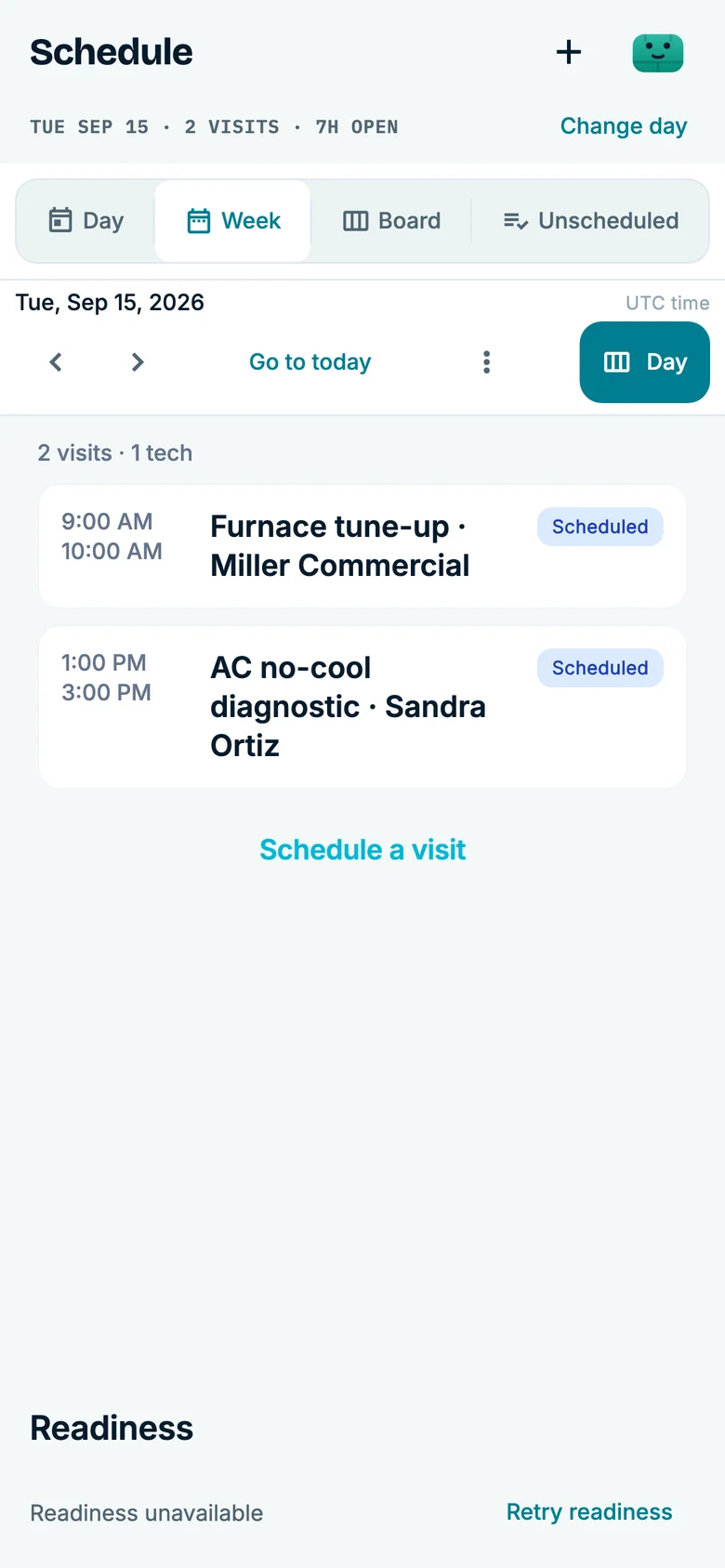
Urgent-call context
Keep the request beside the work already promised
Review the customer, address, reported issue, water-heater or boiler history, and today’s schedule before assigning the next call.
- Customer history
- Water-heater and boiler details, prior notes, and the reported problem.
- Next check
- Confirm the owner, availability, and the fallback for an urgent or unavailable request.
Use a demo account to verify the call, schedule, and invoice handoff your office actually needs.
See a plumbing call become scheduled work
The 60-second Brix example follows a water-heater request from the call into a job, then shows invoice and follow-up work. The call is simulated and intake is condensed.
Use the plumbing call setup checklist to test a full calendar, an out-of-area address, and a request that needs a person. Your office sets the booking rules and who takes over; the video is not a promise of emergency dispatch or an arrival time.
Comparing systems for the whole business? The field service software buying guide covers a pilot from customer history through scheduling and payment.
Questions
For the next plumbing call
See current plans on the pricing page, or compare other trades.
Does CrewBrix answer plumbing calls after hours?
Yes. The AI Receptionist answers inbound calls, and AI scheduling handles eligible workflows.
Can CrewBrix track water heaters and boilers?
Yes. Equipment records include water heaters and boilers with brand, model, serial, install date, warranty, location, and notes.
Does CrewBrix include plumbing scheduling and dispatch?
Yes. Scheduling & Dispatch covers the calendar, assignments, availability, reminders, and customer confirm/reschedule/cancel texts.
Can completed plumbing work move into invoices and payments?
Yes. Invoicing & Payments are live and tied to customer and work records.
Review an urgent request before it hits the board
Bring a real plumbing request and a day of scheduled work. The demo can show the captured details, dispatch context, water-heater history, and the invoice after closeout.