01
Phone setup
Confirm how you keep or forward your number, what gets recorded, how consent is handled, and where a call goes if automation fails.
Switching from Workiz
Start with the calls your office handles every day. Once voice is set up, Brix can answer supported calls, collect caller details, and prepare a booking request using the rules you set. Run those same calls in both products before you move.
In CrewBrix
See the work that needs your attention in CrewBrix. Compare the same workflow in Workiz before choosing.
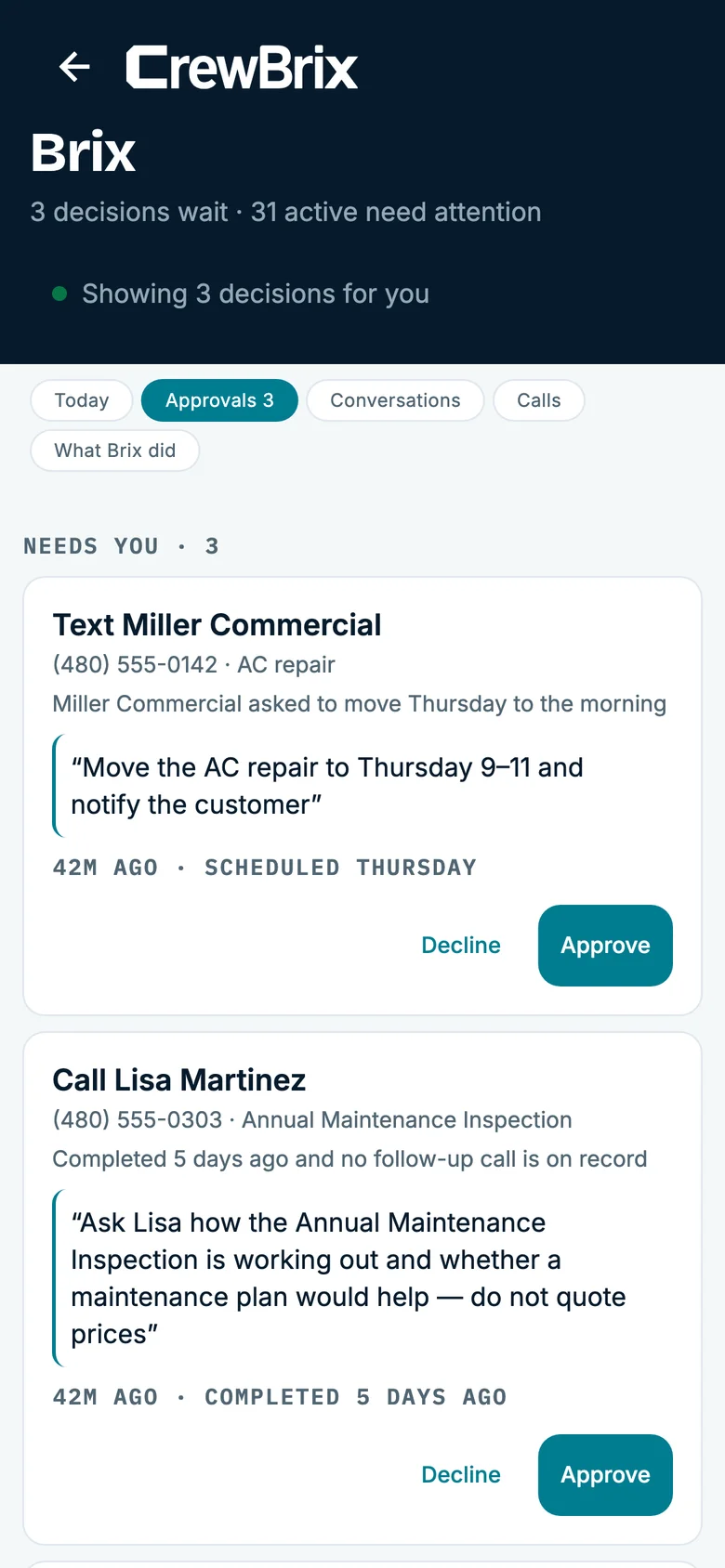
CrewBrix and Workiz
Workiz currently presents Genius AI Answering for call intake and Genius Scheduling for booking. We wrote this comparison, so confirm Workiz’s current features with Workiz and ask both companies to run the same call. See Workiz’s product overview (reviewed September 15, 2026).
Call both demos with the same returning customer's name and number. In CrewBrix, check the caller details and summary saved after voice setup. In Workiz, check the Genius Answering intake and the record your office receives.
Give each system a full calendar, an out-of-area address, and an urgent request. In CrewBrix, eligible booking requests can use the rules you set; anything outside them waits for approval. Compare what the caller hears and what your office sees.
Take the inquiry through the job, invoice, payment, and follow-up. In CrewBrix, Brix can prepare supported drafts from the customer and job records available to it. Count the steps your team must finish in each product.
Ask each company for an itemized quote using the same users, monthly call minutes, phone numbers, onboarding, migration, and integrations. Compare the final setup, not just the advertised base price.
Before the demo, review how Brix handles calls and approvals, check CrewBrix pricing, and bring a call-volume estimate from your own log using the missed-call calculator.
Use a returning customer and check what customer information, request details, and next action are created.
Try a full calendar or urgent request and compare what the caller is told, who takes over, and what the office receives.
Complete the test job and compare the estimate, invoice, payment, and follow-up required in each product.
01
Confirm how you keep or forward your number, what gets recorded, how consent is handled, and where a call goes if automation fails.
02
List every connection your team needs and the customer, job, payment, and phone data that must move.
03
Choose the product that can demonstrate the workflow you need now. Do not base the decision on a roadmap or assumed parity.
Workiz may still be the right fit if your team depends on its current phone setup, integrations, onboarding, or a workflow CrewBrix cannot demonstrate today.
CrewBrix does not claim feature-for-feature parity. Confirm telephony, integrations, migration, payments, mobile use, support, and total cost directly with both companies before switching.
Use the same new inquiry, returning customer, and out-of-area request in both demos. In CrewBrix, voice and booking require setup, and requests outside your rules wait for approval. Compare number routing, costs, integrations, and migration before switching.
It may fit your business, but do not assume the products are equivalent. Verify phone behavior, integrations, migration, payments, mobile use, and support in both products.
Stay with Workiz when its current phone, integration, onboarding, or workflow capabilities meet a requirement CrewBrix cannot demonstrate today.
We will run a new-customer call, returning-customer call, or schedule exception in CrewBrix. Run the same call in Workiz and compare what your office receives, what still needs a person, and the total cost.
Essential storage stays on to remember this choice. Google Analytics loads only if you allow it. Advertising storage stays off. You can change your choice in Cookie settings.